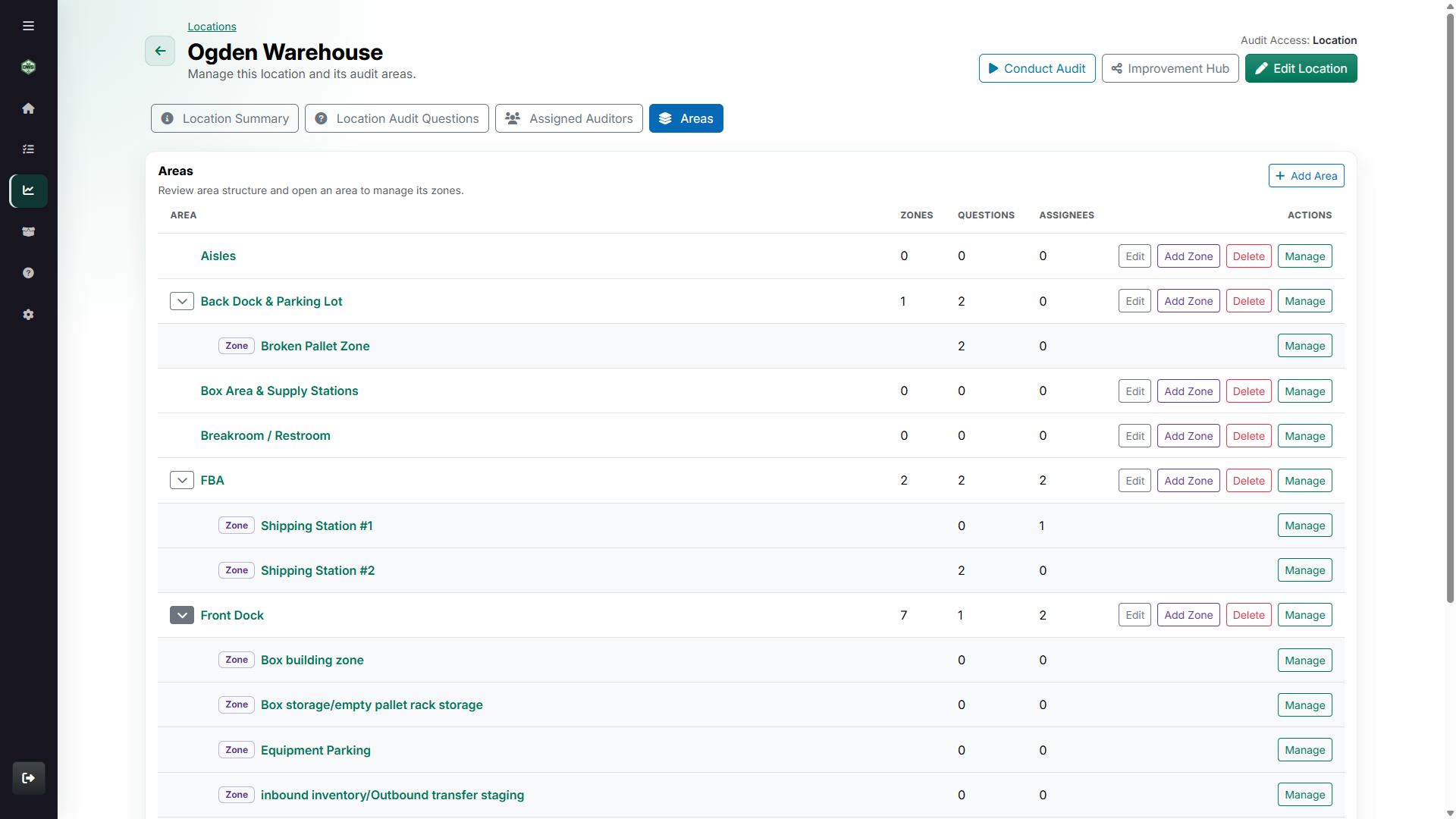
Mirror the real operation
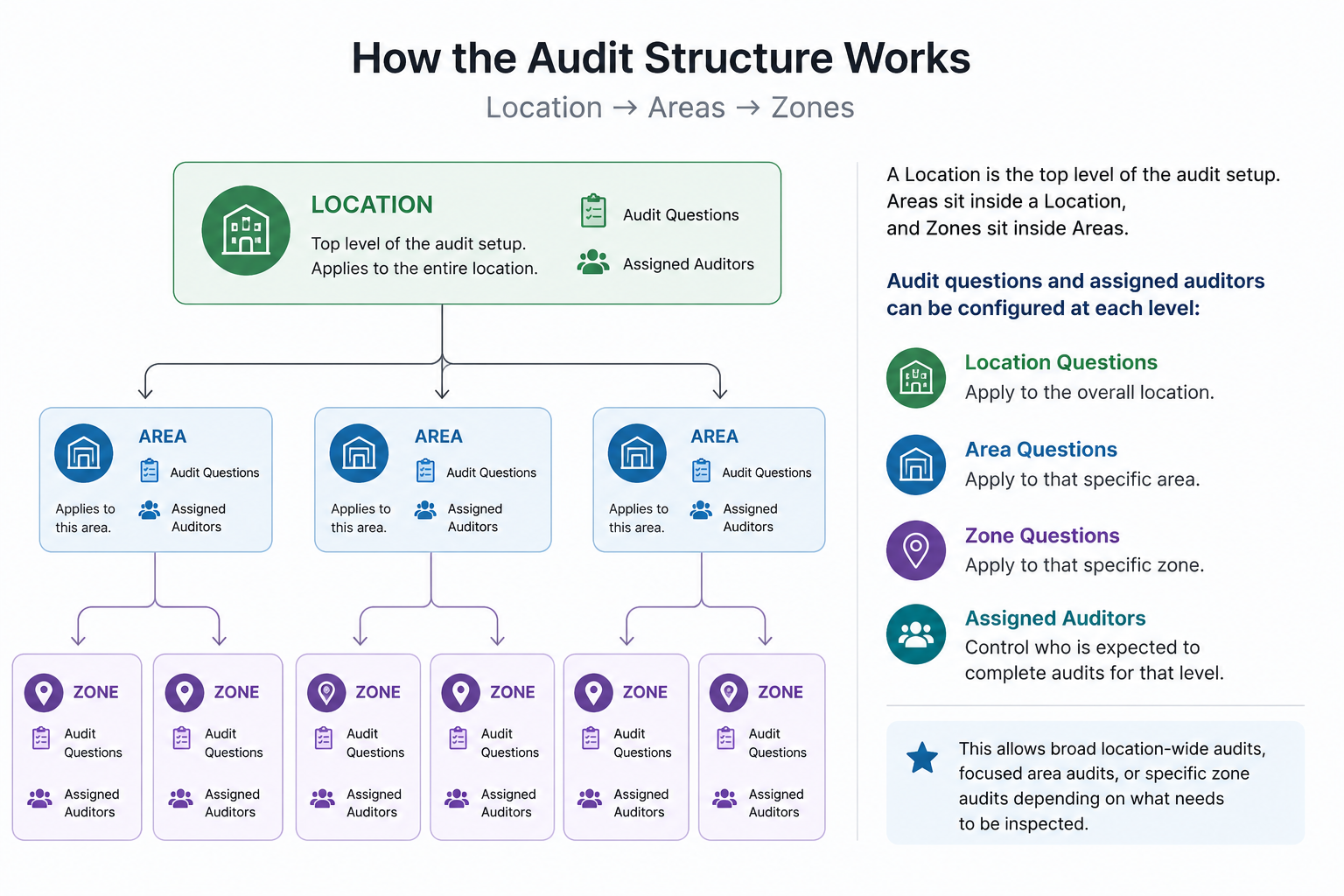
Organize audit coverage by location, area, and zone so every question is asked at the level where the work happens.
Build audits around the way your operation is structured, route failed checks to the right people, and keep every corrective action traceable through validation.
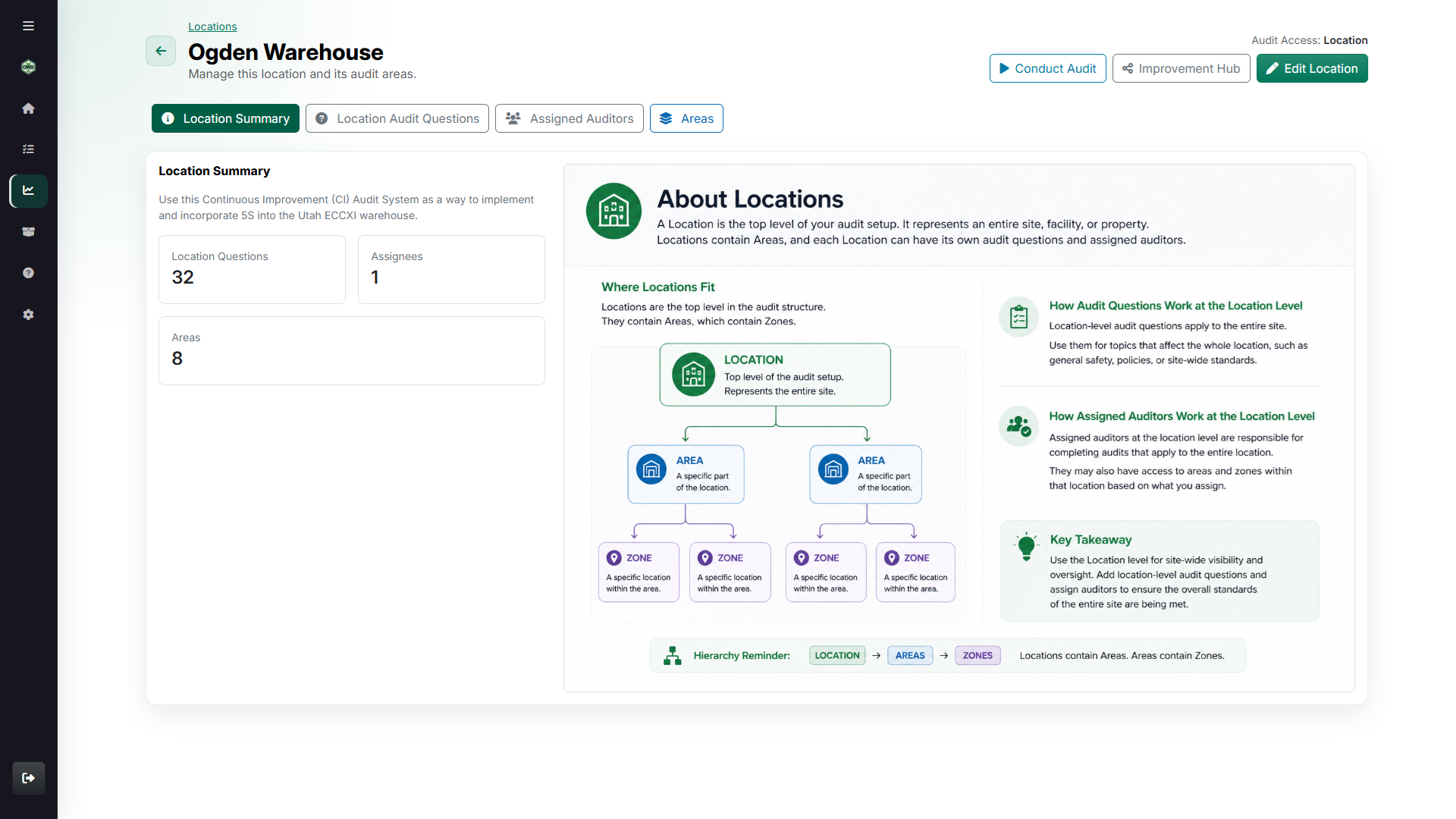
Organize audit coverage by location, area, and zone so every question is asked at the level where the work happens.
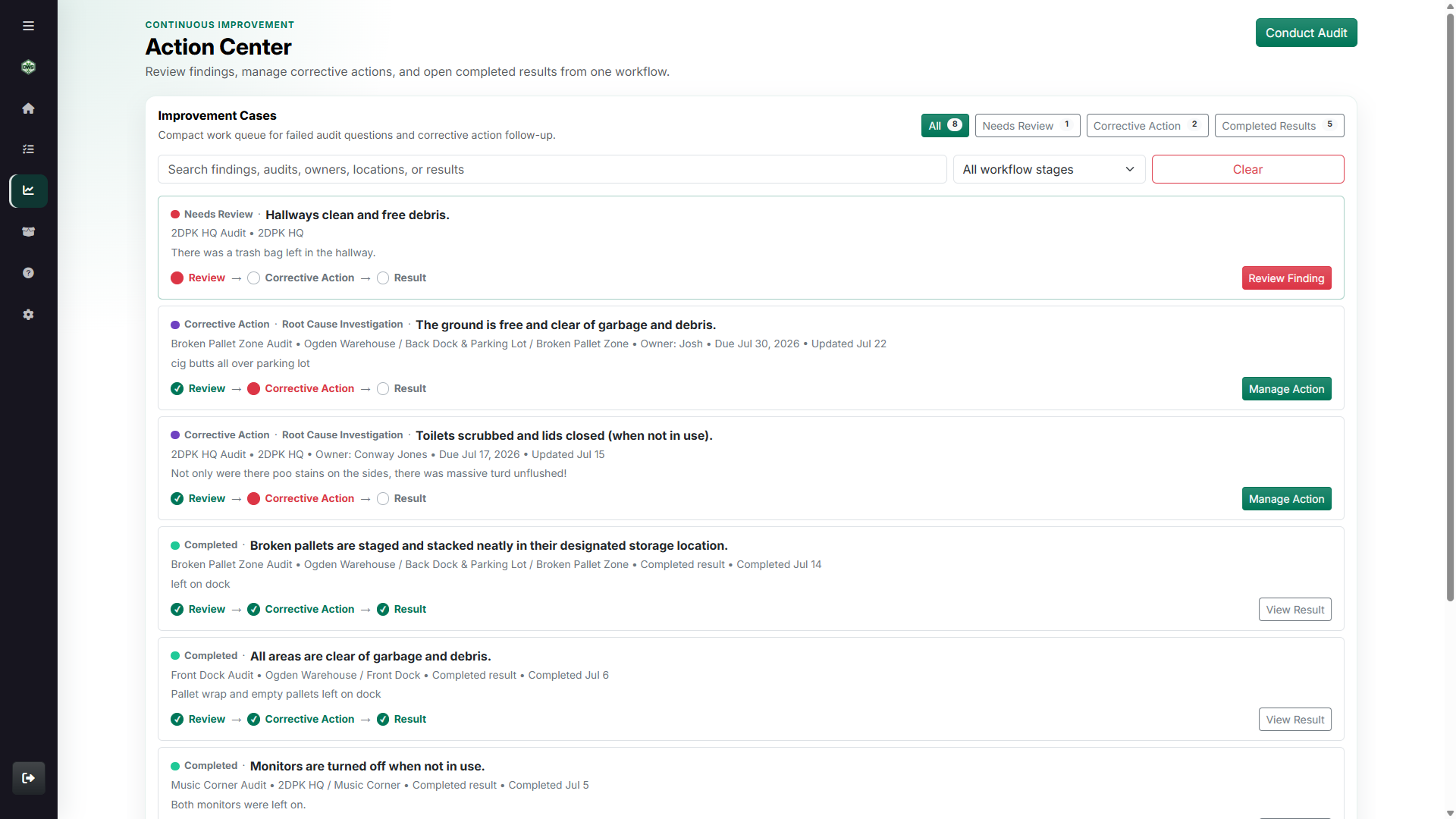
Move a failed response into review, correction, ownership, and validation without rebuilding its history in another system.
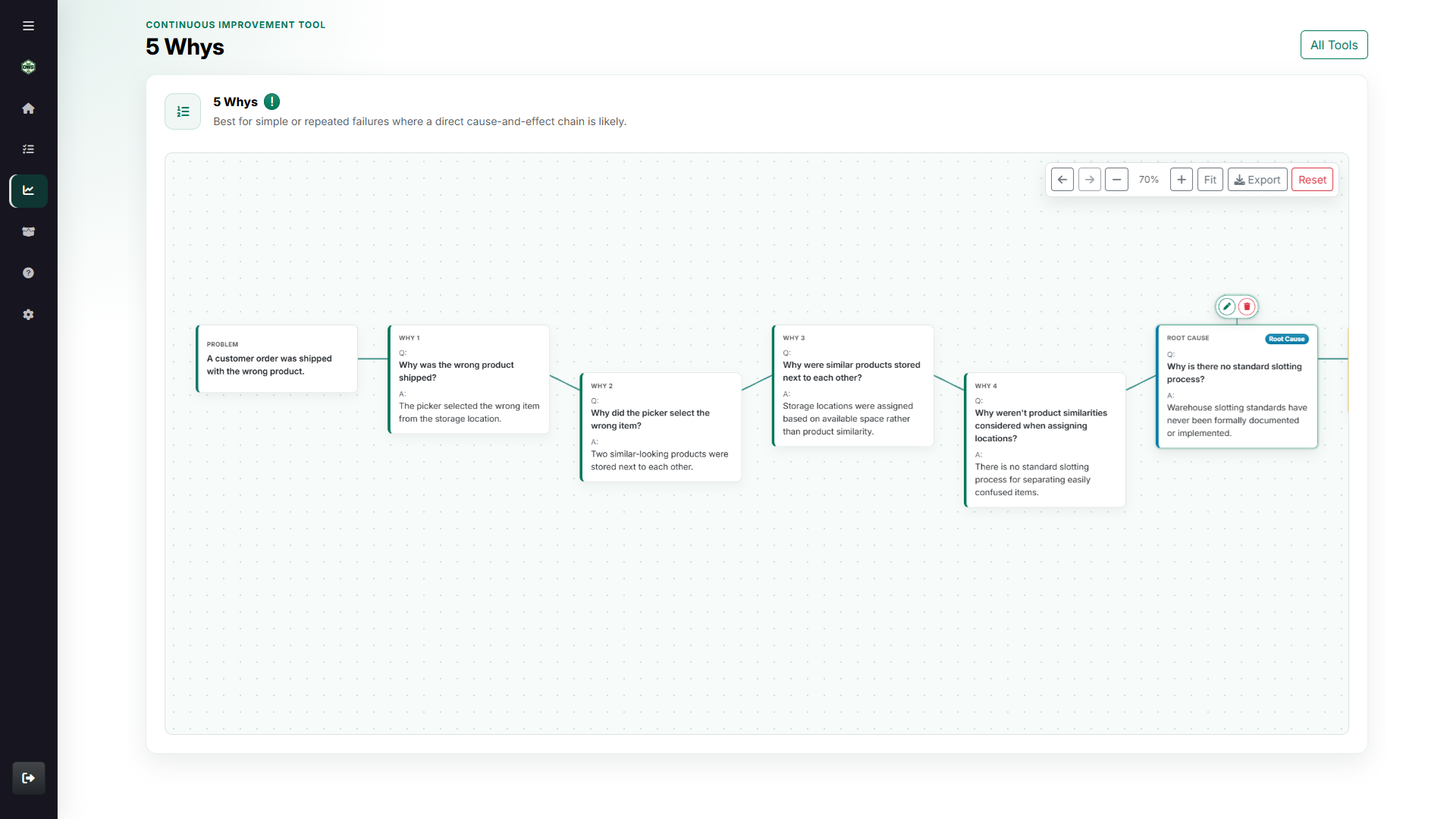
Open 5 Whys and other CI canvases when a quick correction is not enough and the team needs to work the cause.
A completed checklist is only useful when the work behind it is clear. DWS keeps the audit target, failed response, finding, corrective action, owner, due date, and validation connected as one improvement record.
Use it for a single facility or build a location, area, and zone hierarchy for a larger operation. Each level can carry the questions and auditor assignments that actually belong there.
Set the location hierarchy, audit questions, and the people responsible for each level.
Give auditors a focused launch point for the location, area, or zone they are checking.
Turn failures into owned action, verify the result, and retain the full improvement history.
Continuous Improvement lets teams assign questions and auditors at the location, area, or zone level. Broad site standards, department checks, and exact floor-level risks can each live where they belong.
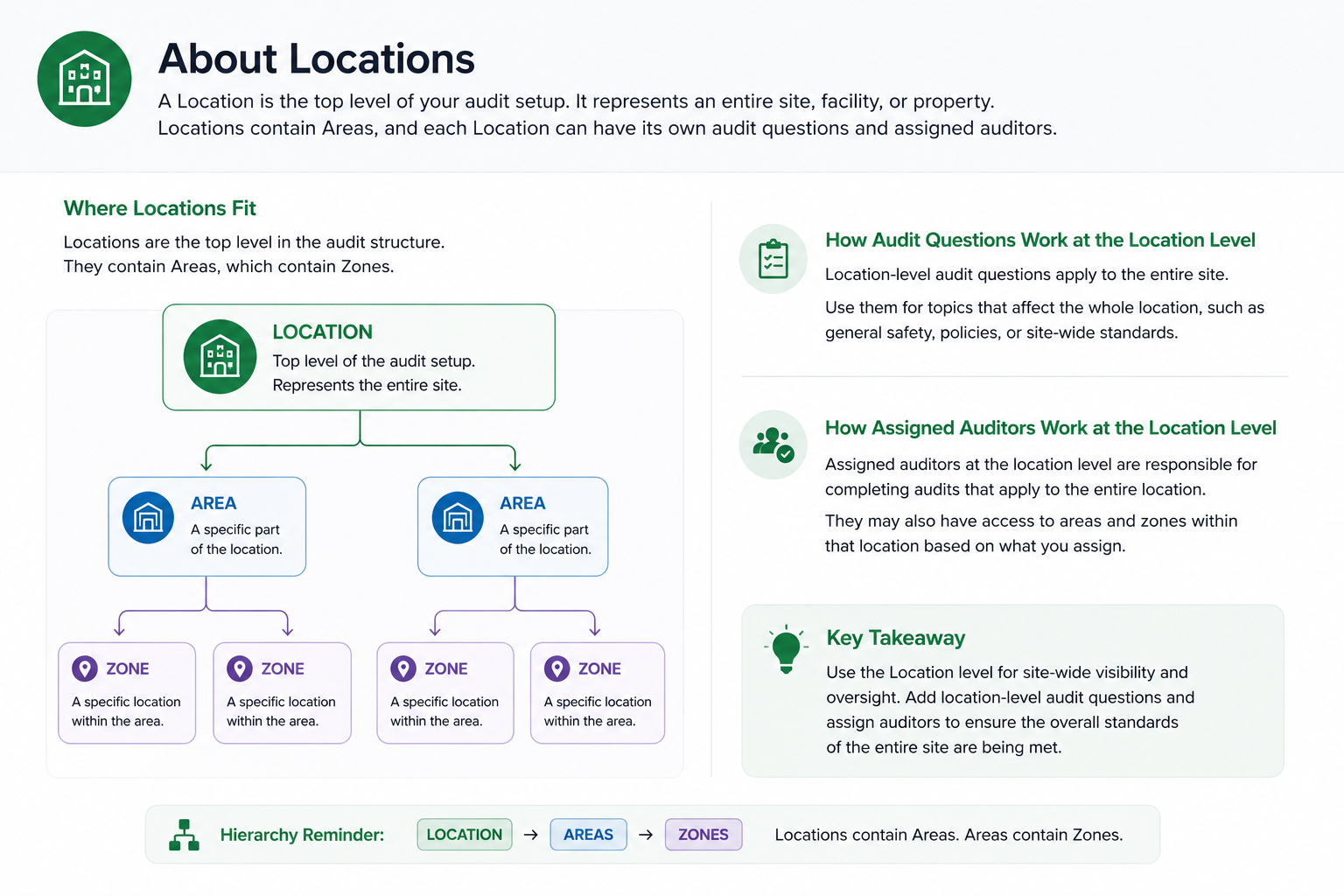
Use location-level questions for standards that apply to an entire site, facility, or property.
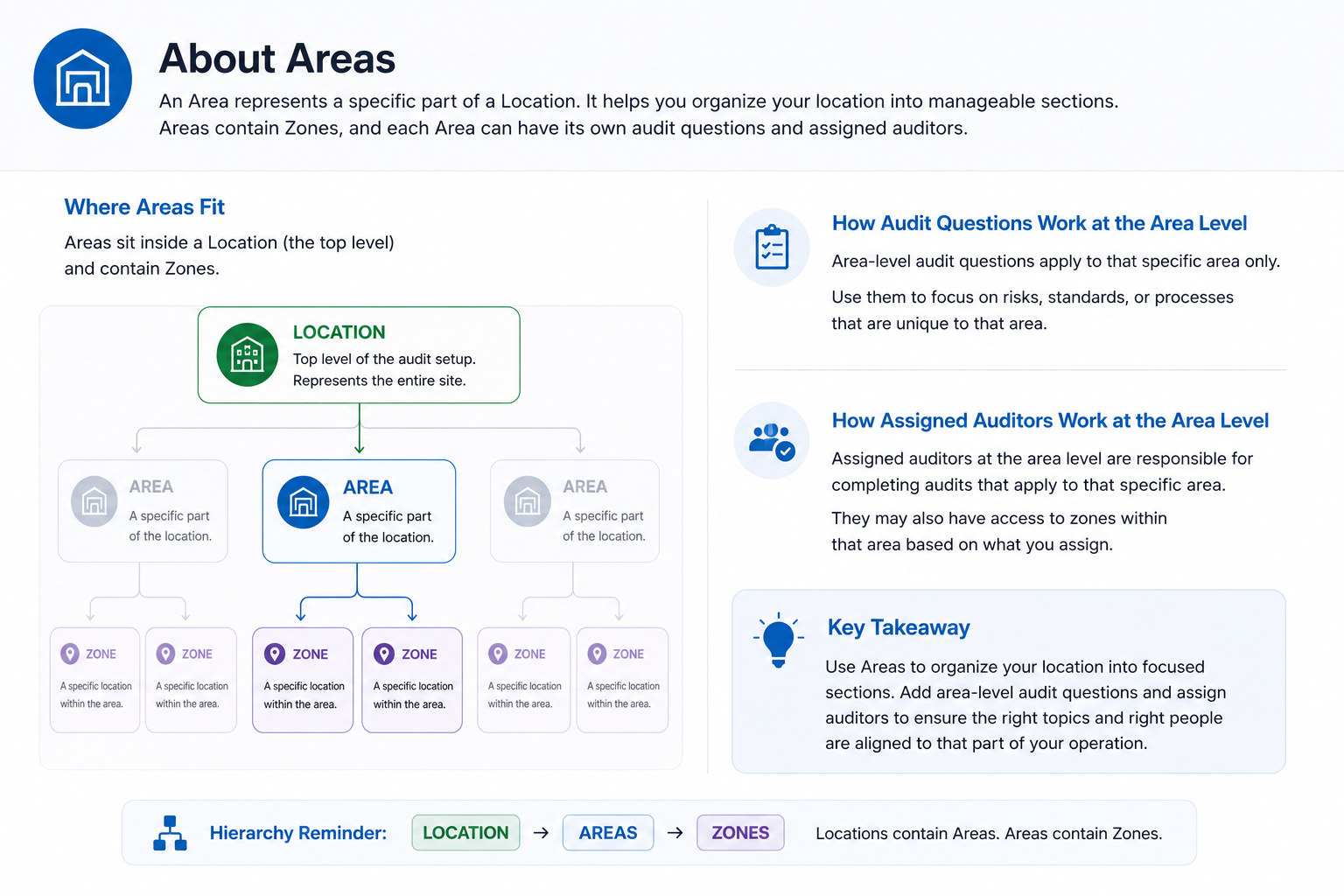
Break large locations into manageable areas so questions and auditors match the work being inspected.
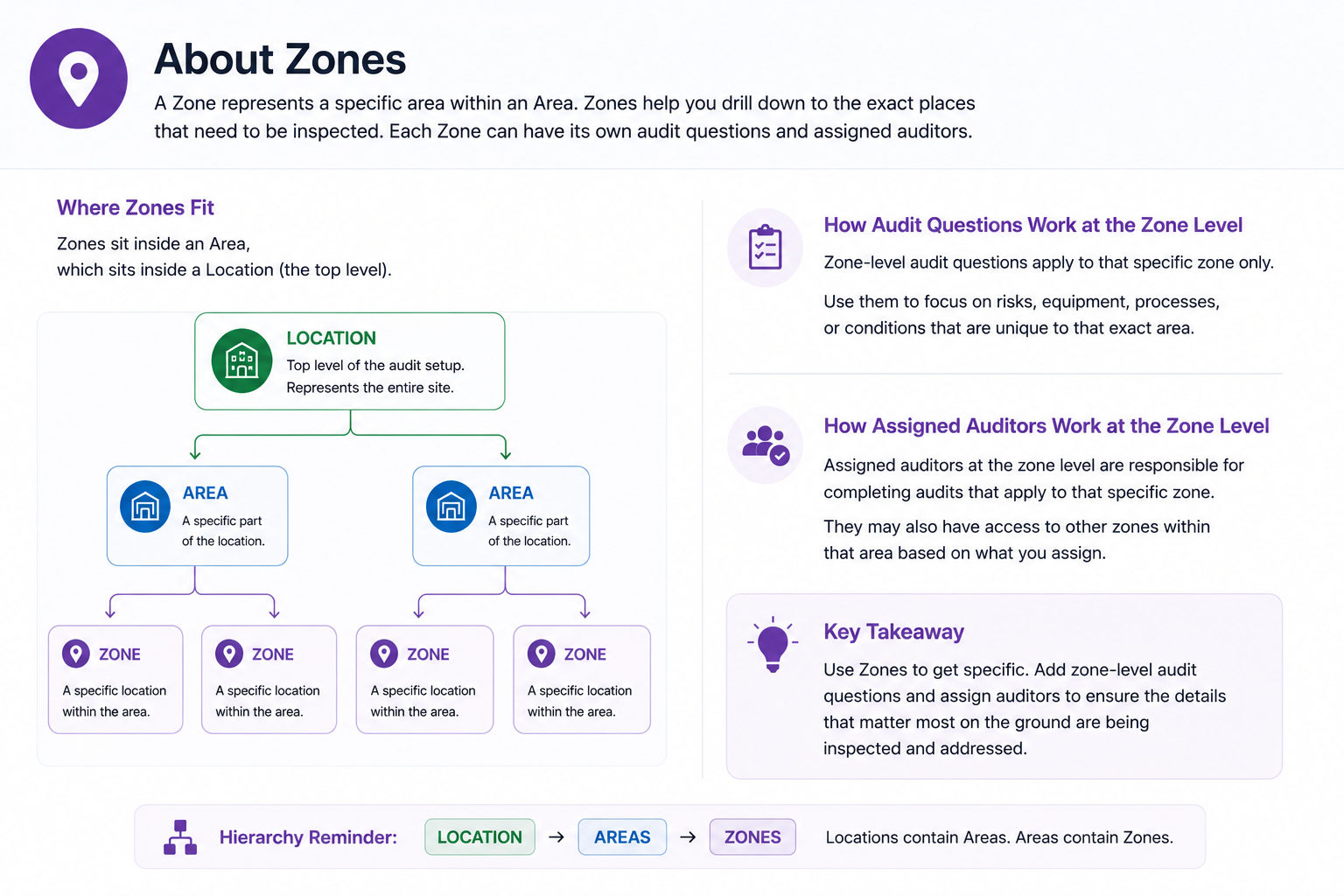
Drill into exact zones when a process, risk, asset, or condition needs more specific inspection coverage.
The module stays focused at each stage: triage what failed, assign the response, investigate the cause when necessary, and show what changed.
The Action Center separates items needing review, corrective action, or result validation so the next decision is obvious.
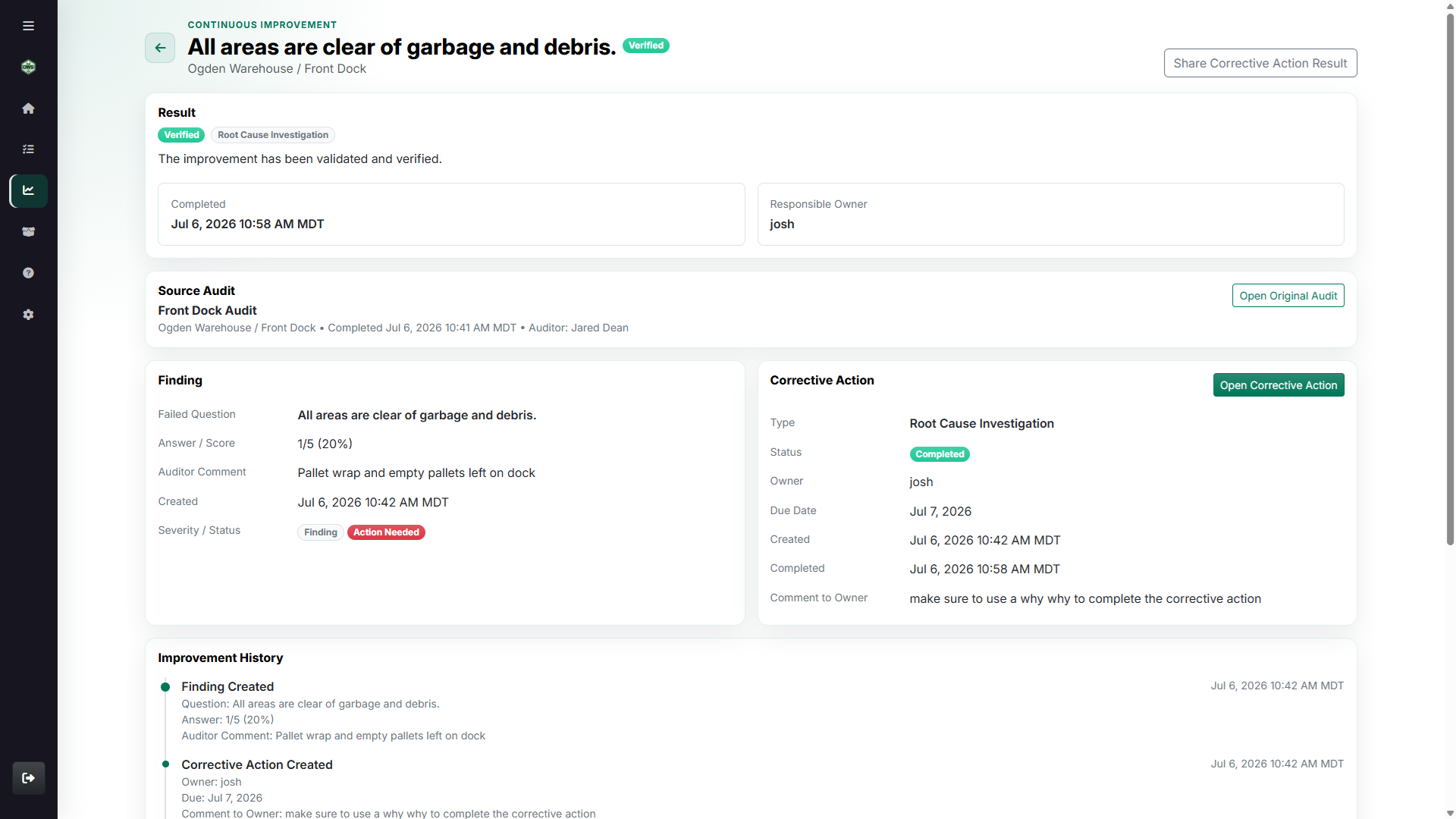
Corrective action records preserve the source audit and finding while the team assigns responsibility and documents completion.
Use the 5 Whys canvas when the team needs to test the logic behind a cause instead of burying the analysis in a comment box.
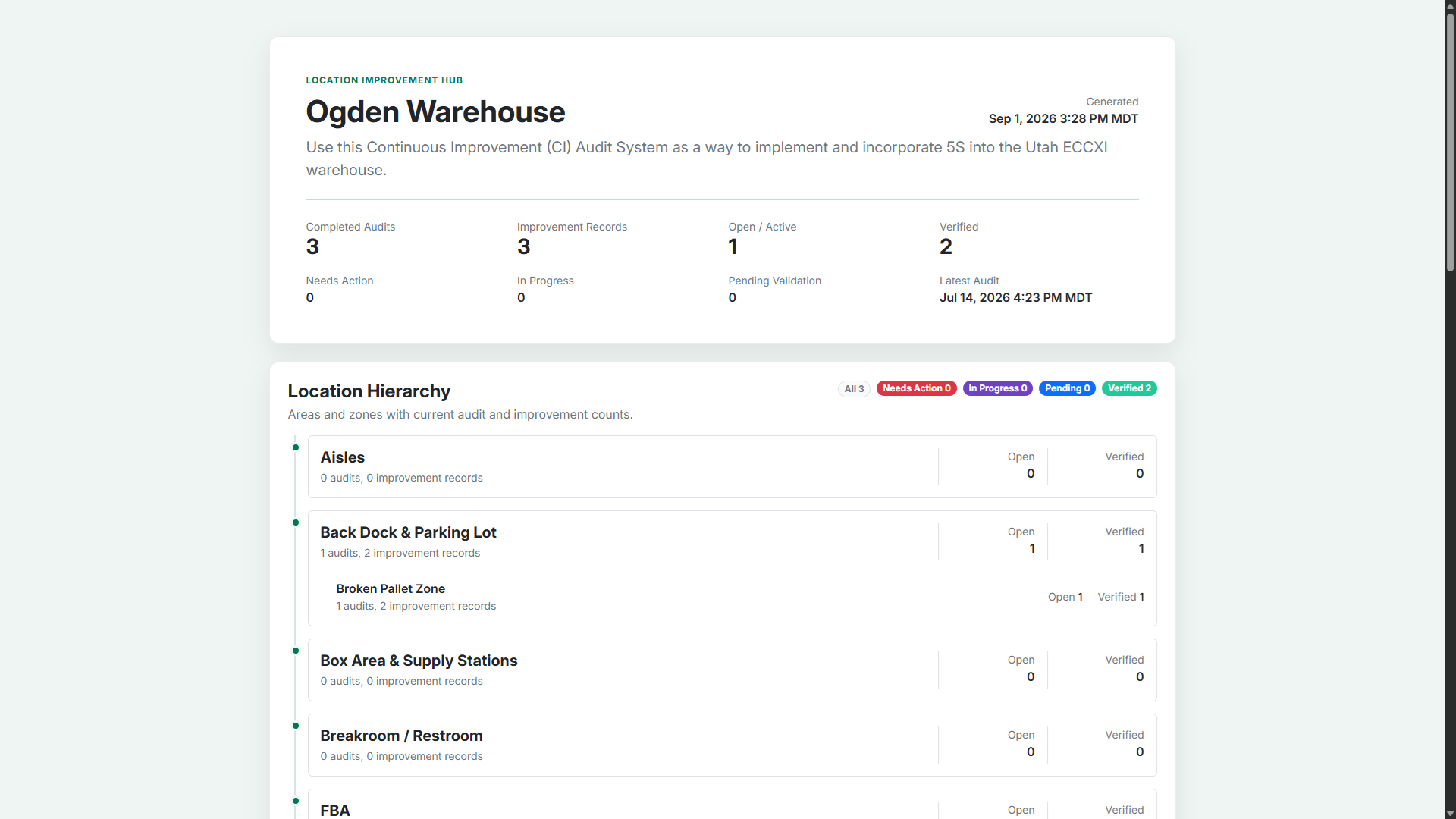
The shareable Improvement Hub shows completed audits, open work, and verified changes without exposing the working side of the module.