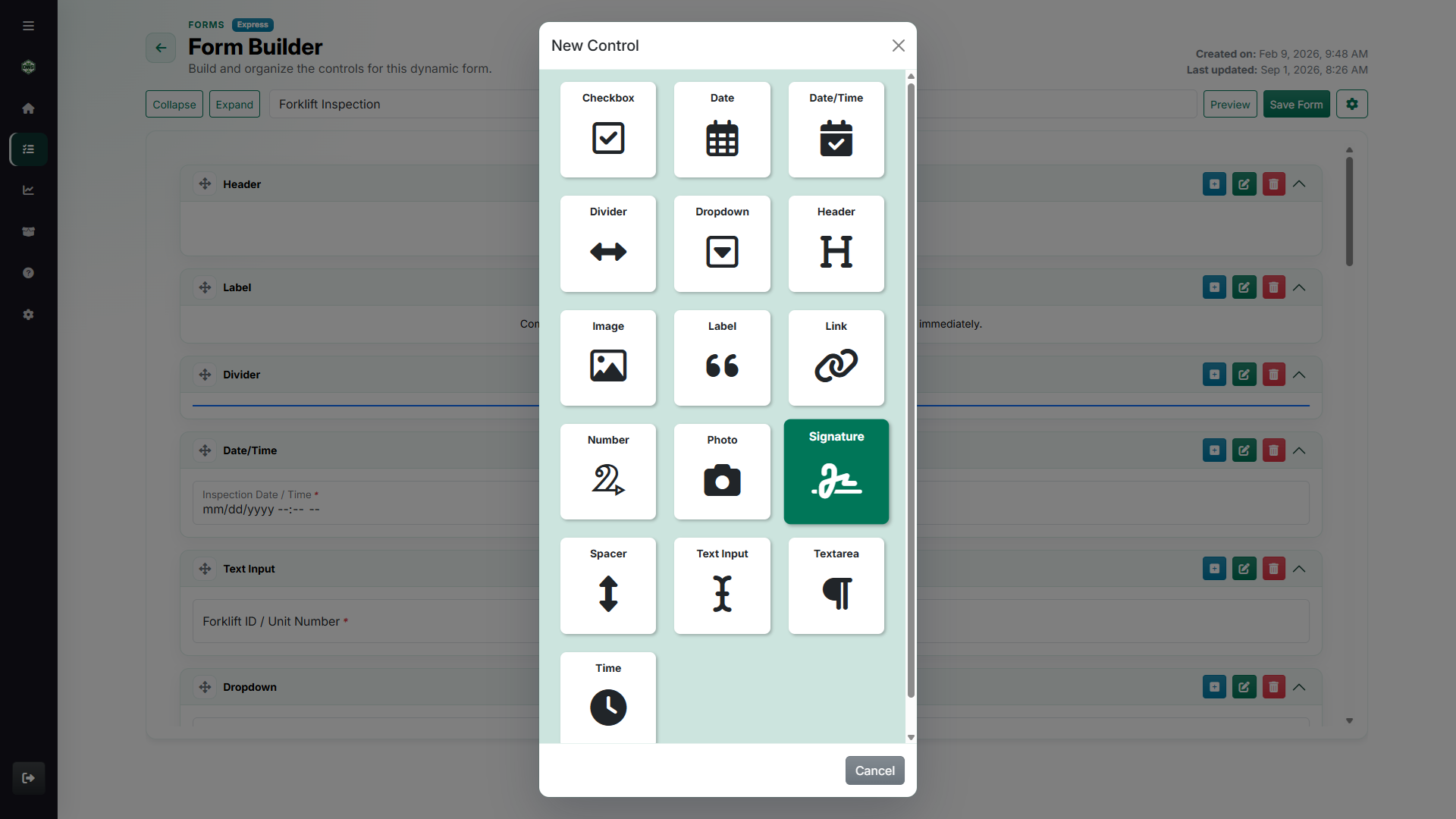
Controls for real intake
Use short answers, dates, dropdowns, photos, signatures, labels, files, groups, links, and layout controls without rebuilding the form from scratch.
Design the intake, publish it by link or QR code, collect signatures and evidence, and turn every response into a readable business record.
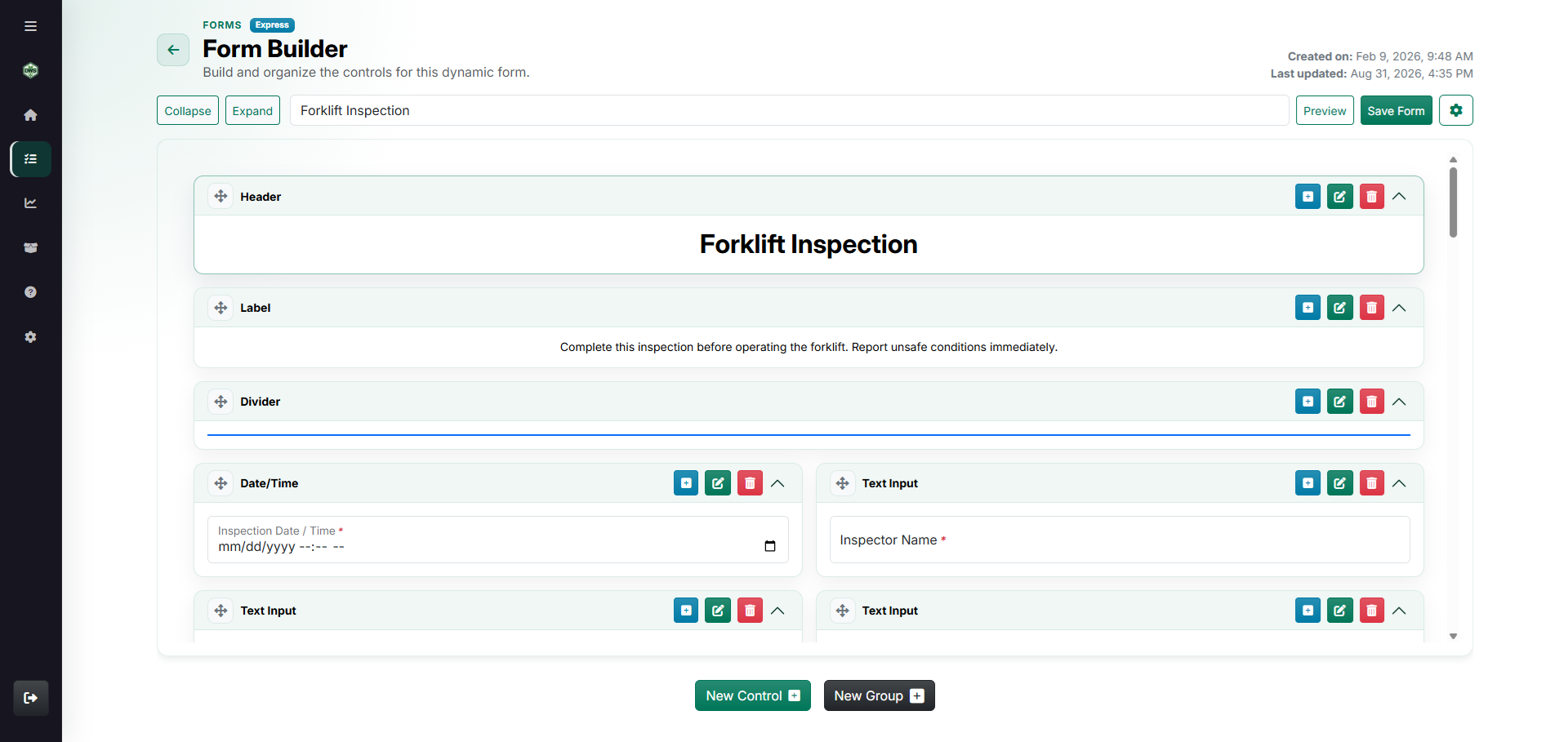
Use short answers, dates, dropdowns, photos, signatures, labels, files, groups, links, and layout controls without rebuilding the form from scratch.
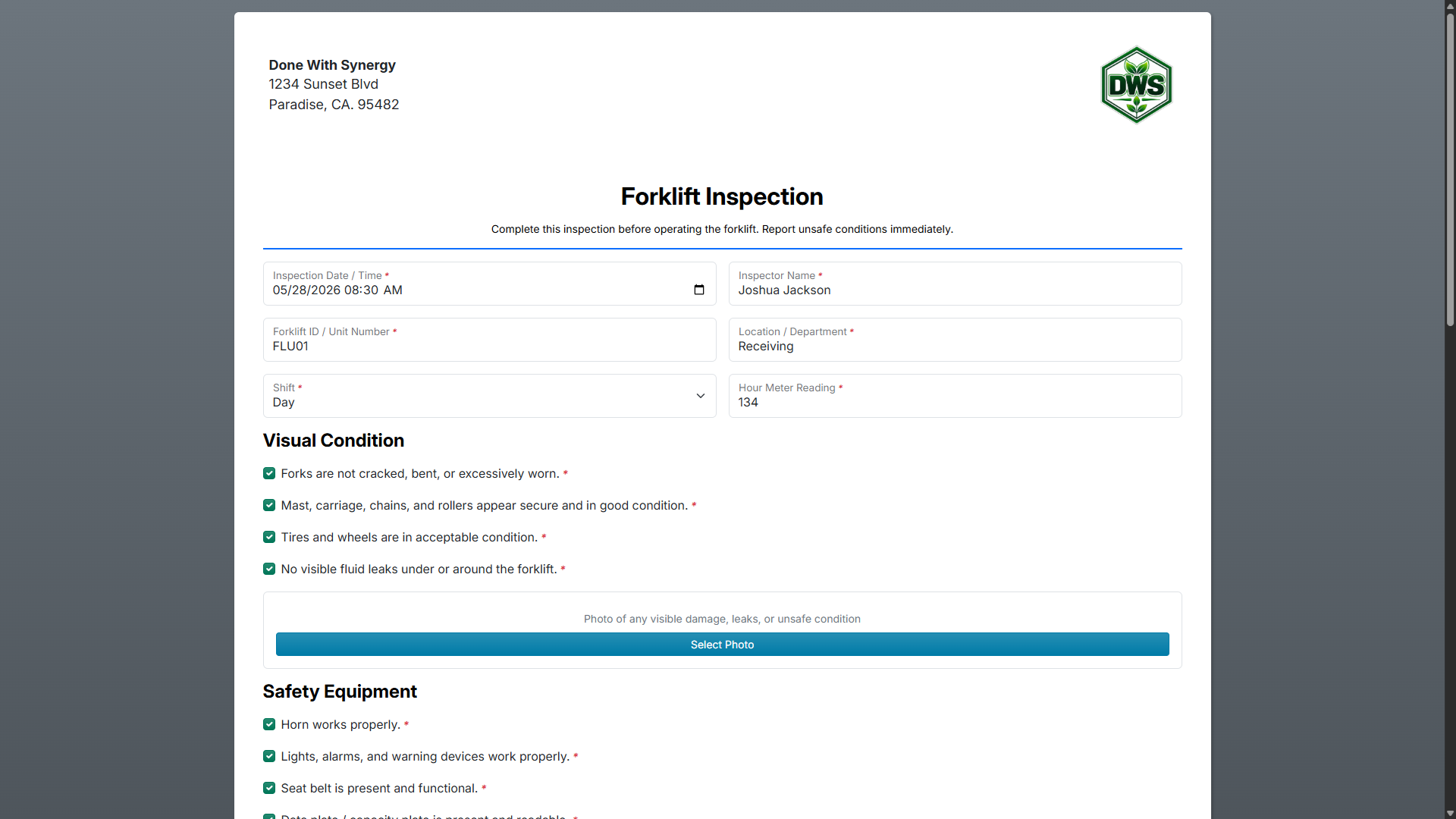
Publish a public link or QR code when vendors, field teams, customers, or floor staff need to submit without signing in.
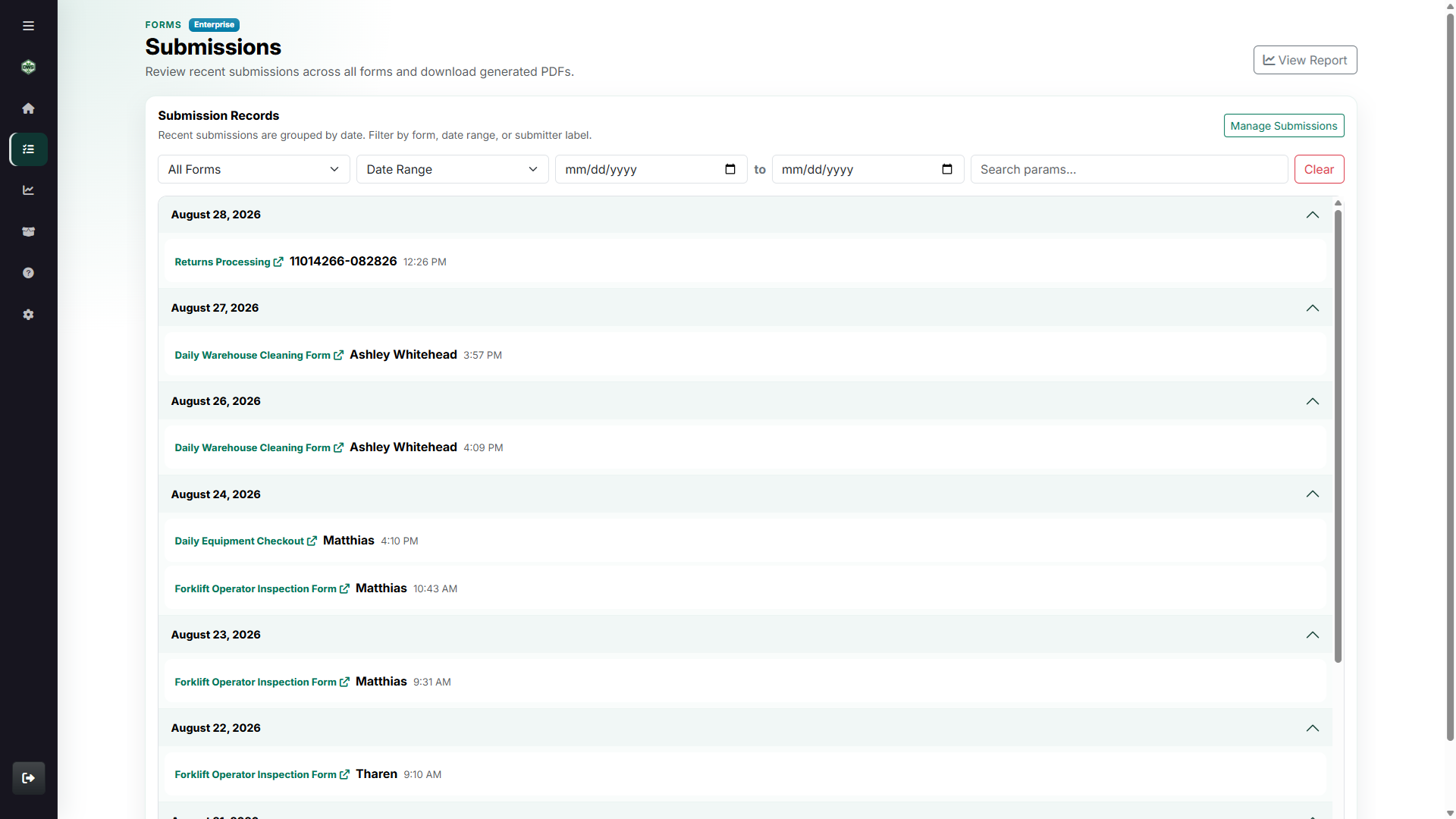
Review submissions, open generated PDFs, and turn proven forms into reusable templates for the next workflow.
Forms is for repeatable work that still needs room for the details: inspections, sign-offs, requests, intake forms, field reports, and internal approvals.
Start with the controls the job needs, tune how the form behaves, publish it to the right audience, and keep the completed response as a record people can actually use.
Start from scratch or a template, then add the controls your process requires.
Send the form through a link or QR code, with settings that match the audience.
Review submissions, supporting evidence, and generated PDF records.
Forms is built for practical intake: set the form behavior, tune individual controls, publish the form, then keep every response organized as a usable business record.
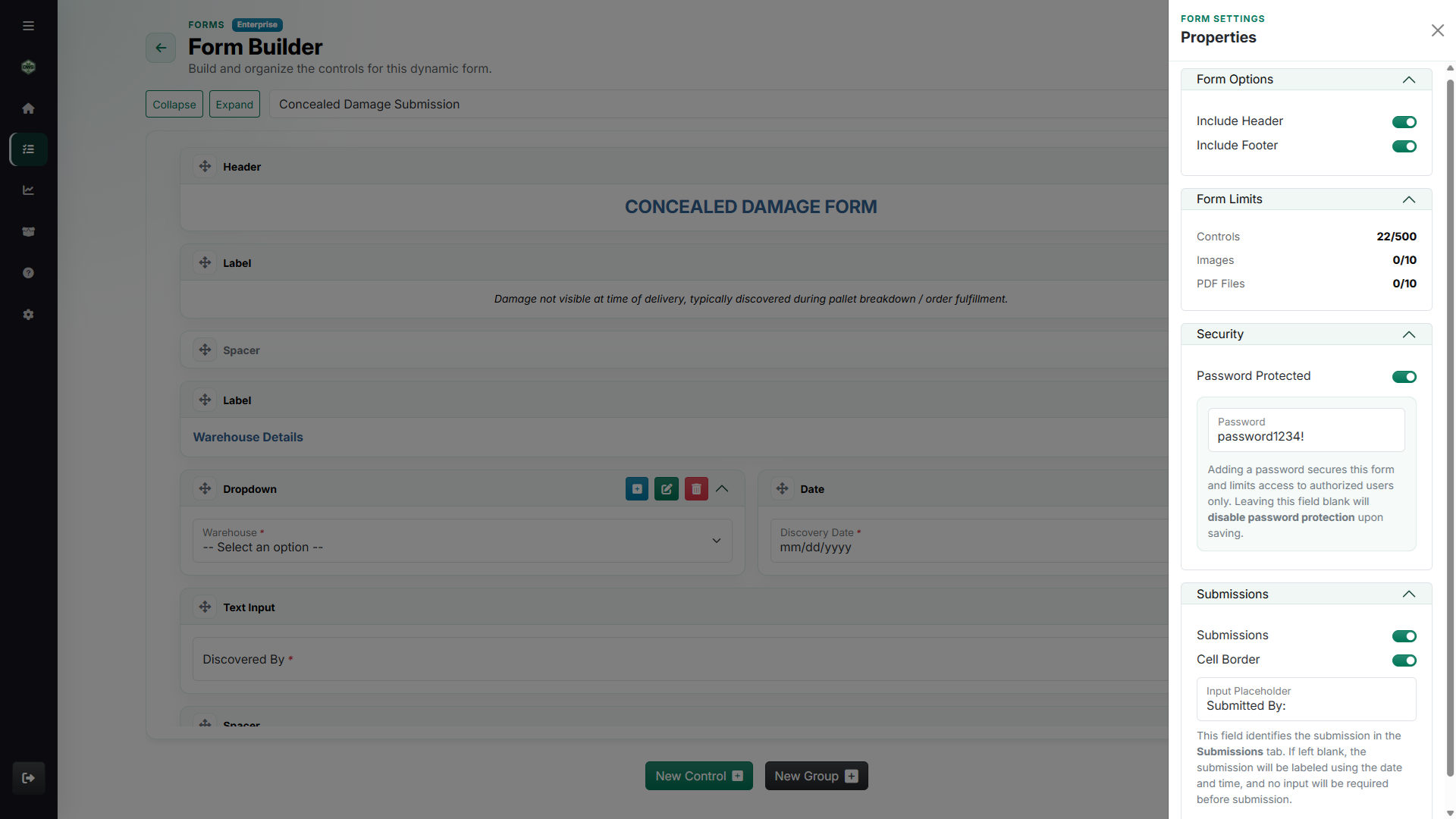
Review incoming responses, timestamps, attached files, and submission status without hunting through inboxes.
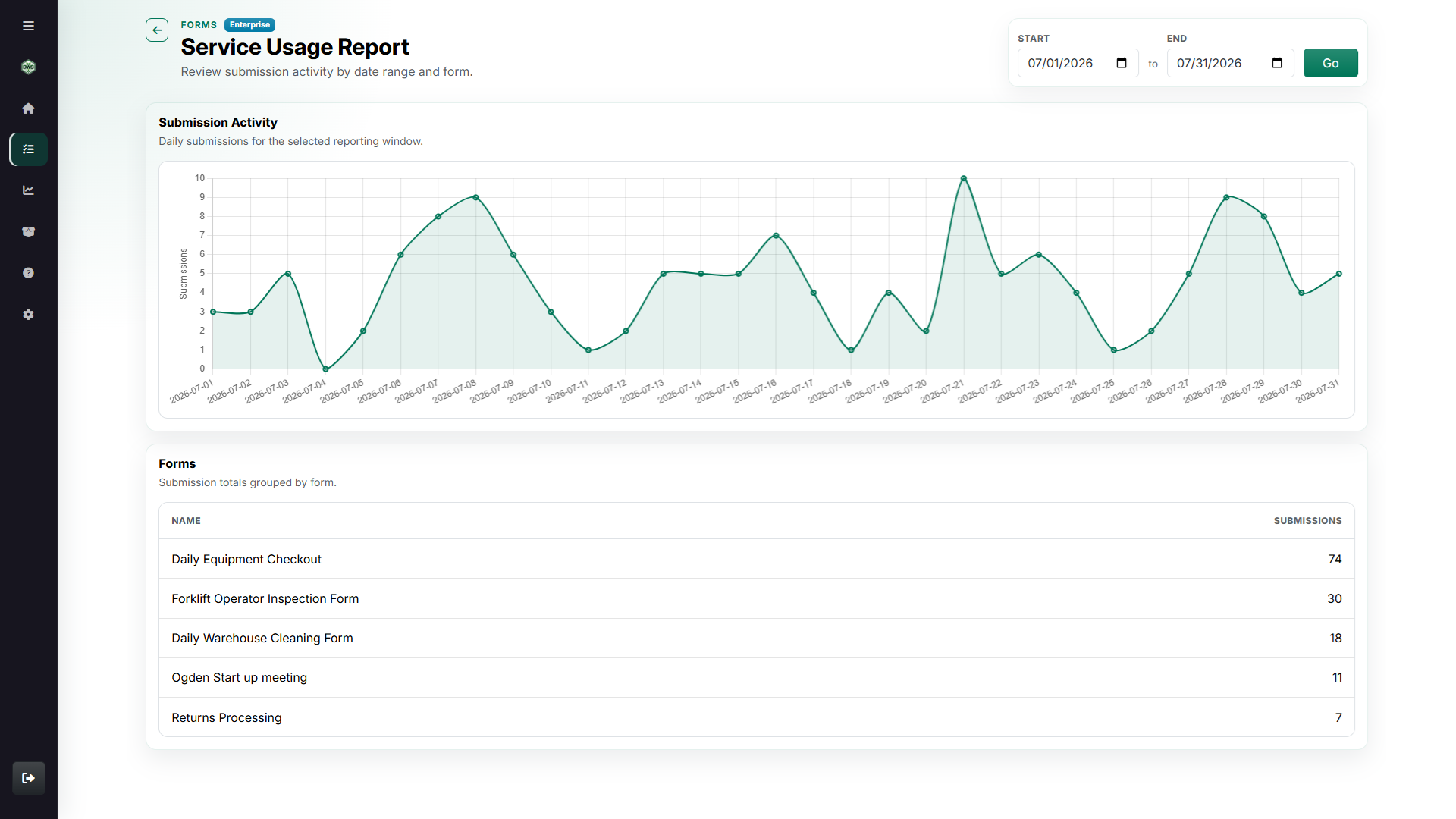
See which forms are active and how submission volume changes over the date range you choose.
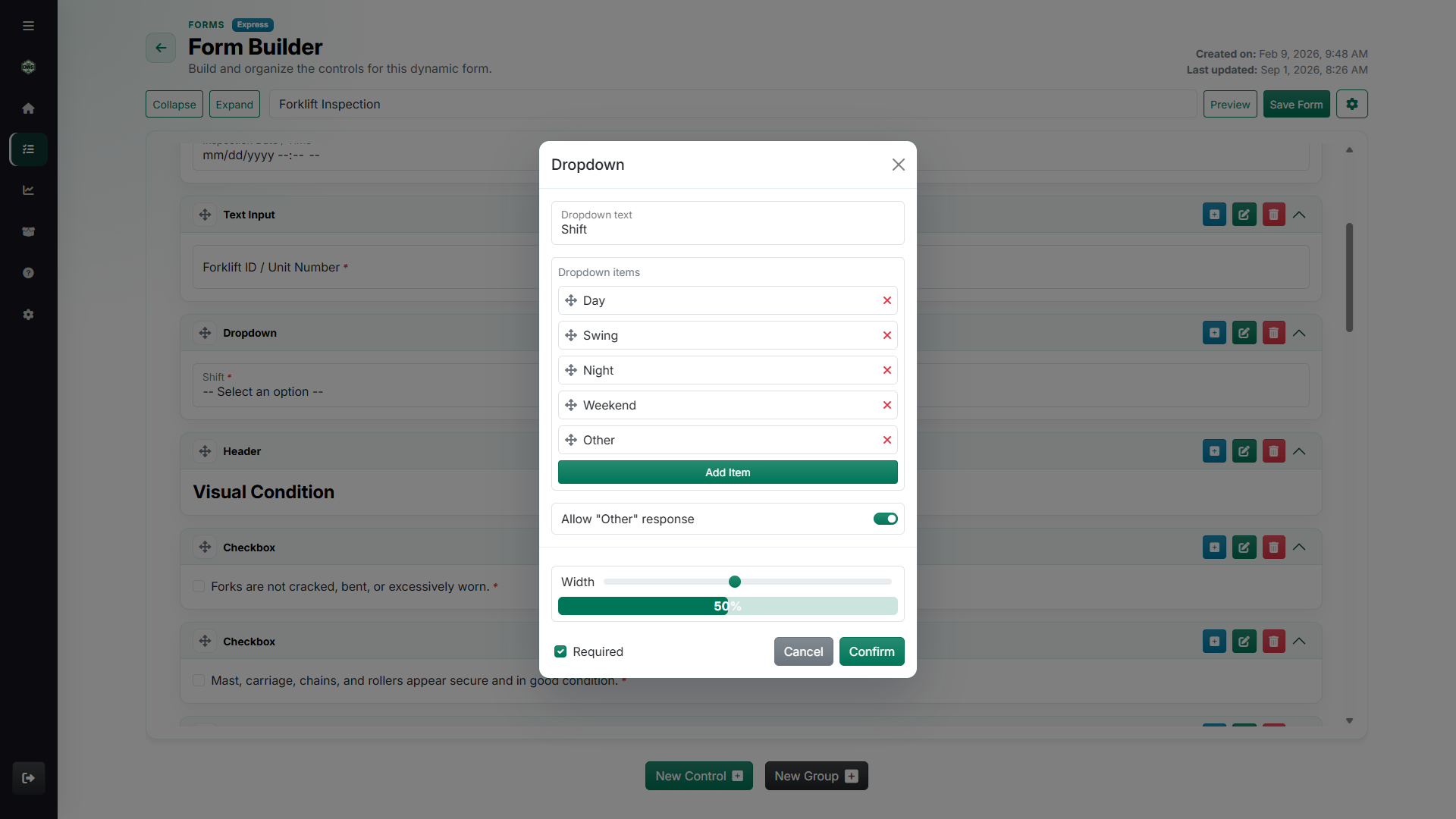
Field behavior is part of the form itself: required responses, choices, width, visibility, and repeatable entries stay configurable.
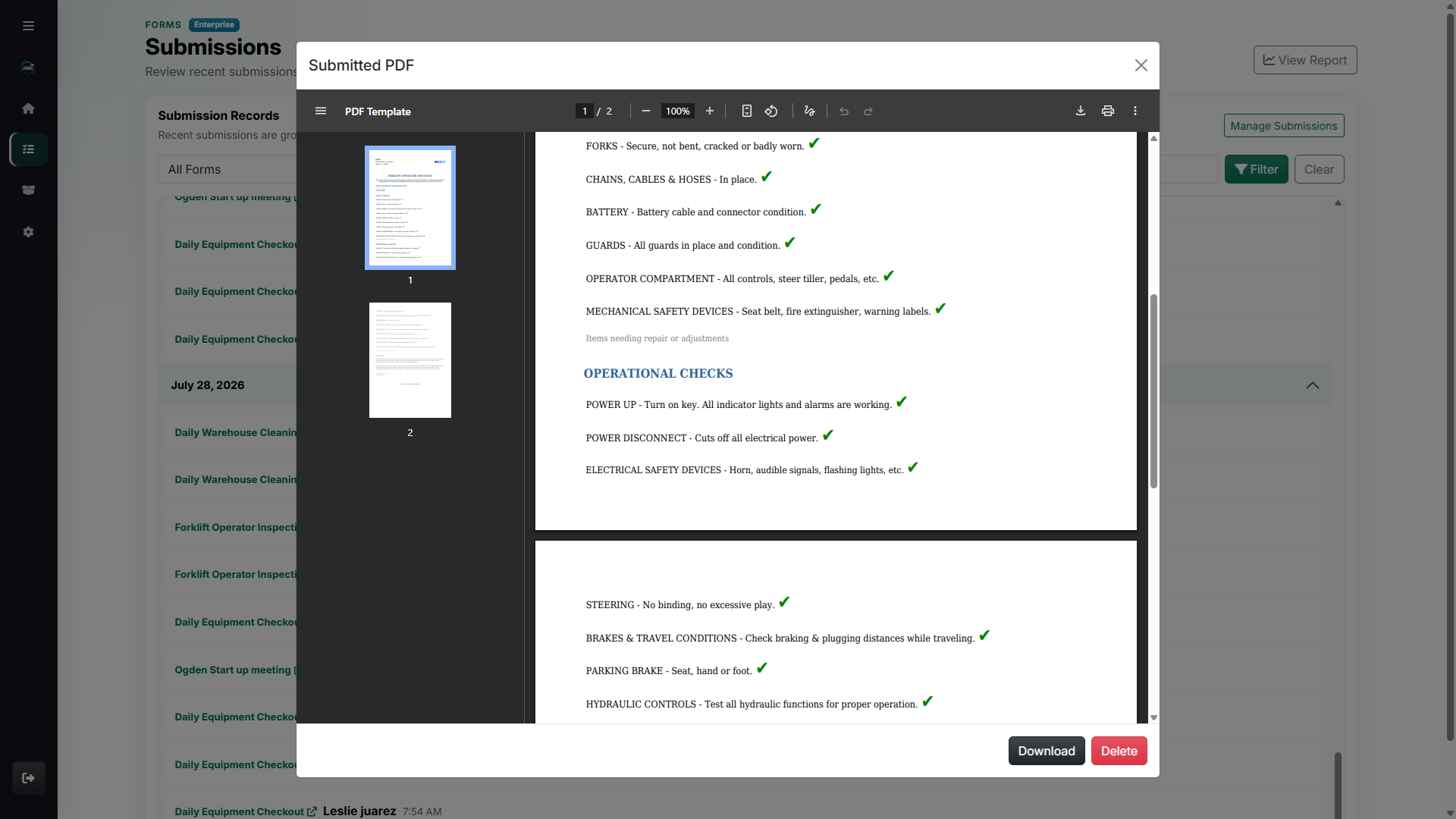
Completed submissions become readable PDF records teams can download, retain, and attach to the job history.