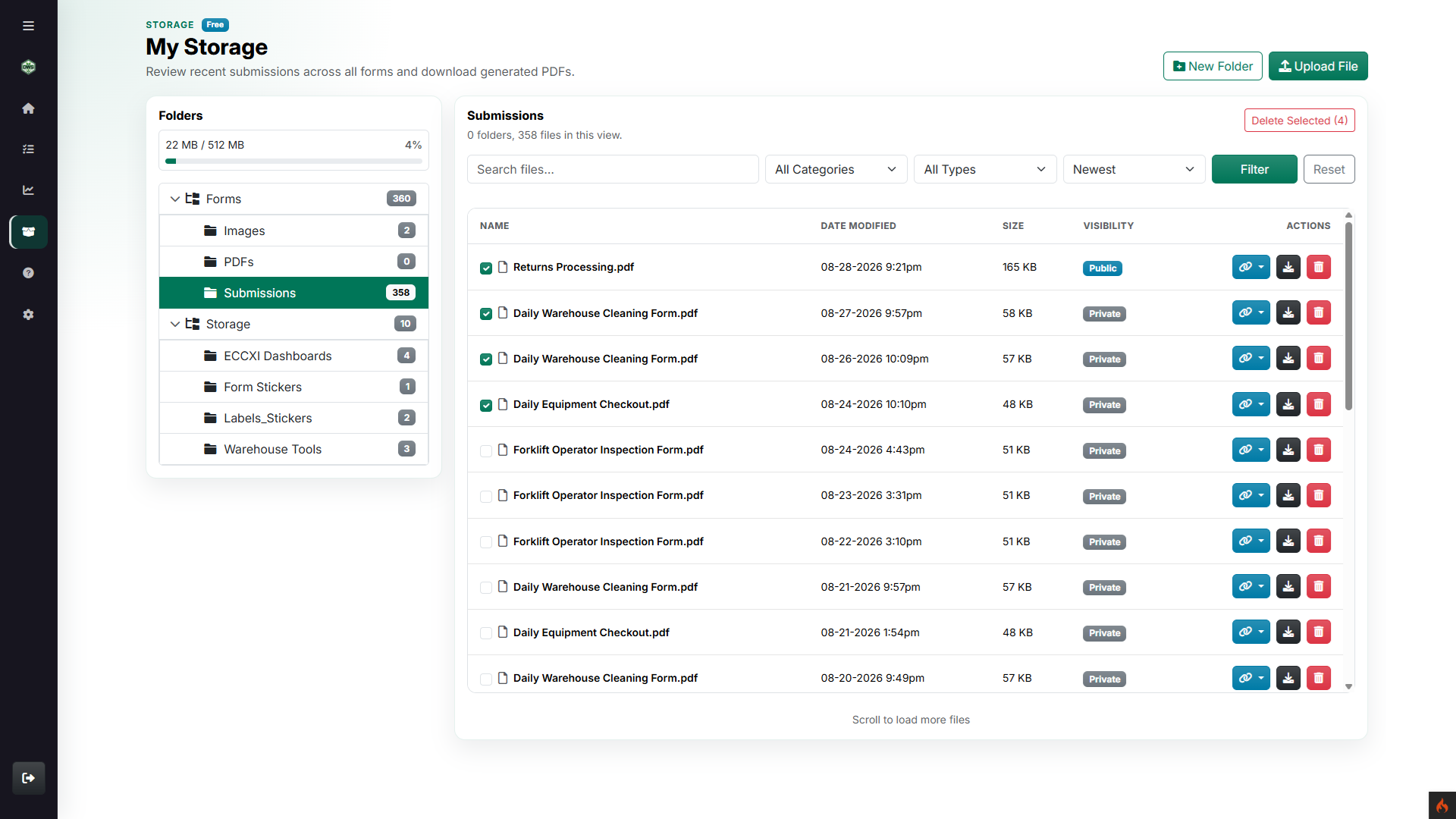
A file browser with context
Browse system folders, Storage folders, uploaded files, and generated records without losing visibility into where each file came from.
Organize operational files, generated records, evidence, and reports in one searchable workspace with deliberate public and private sharing.
Browse system folders, Storage folders, uploaded files, and generated records without losing visibility into where each file came from.
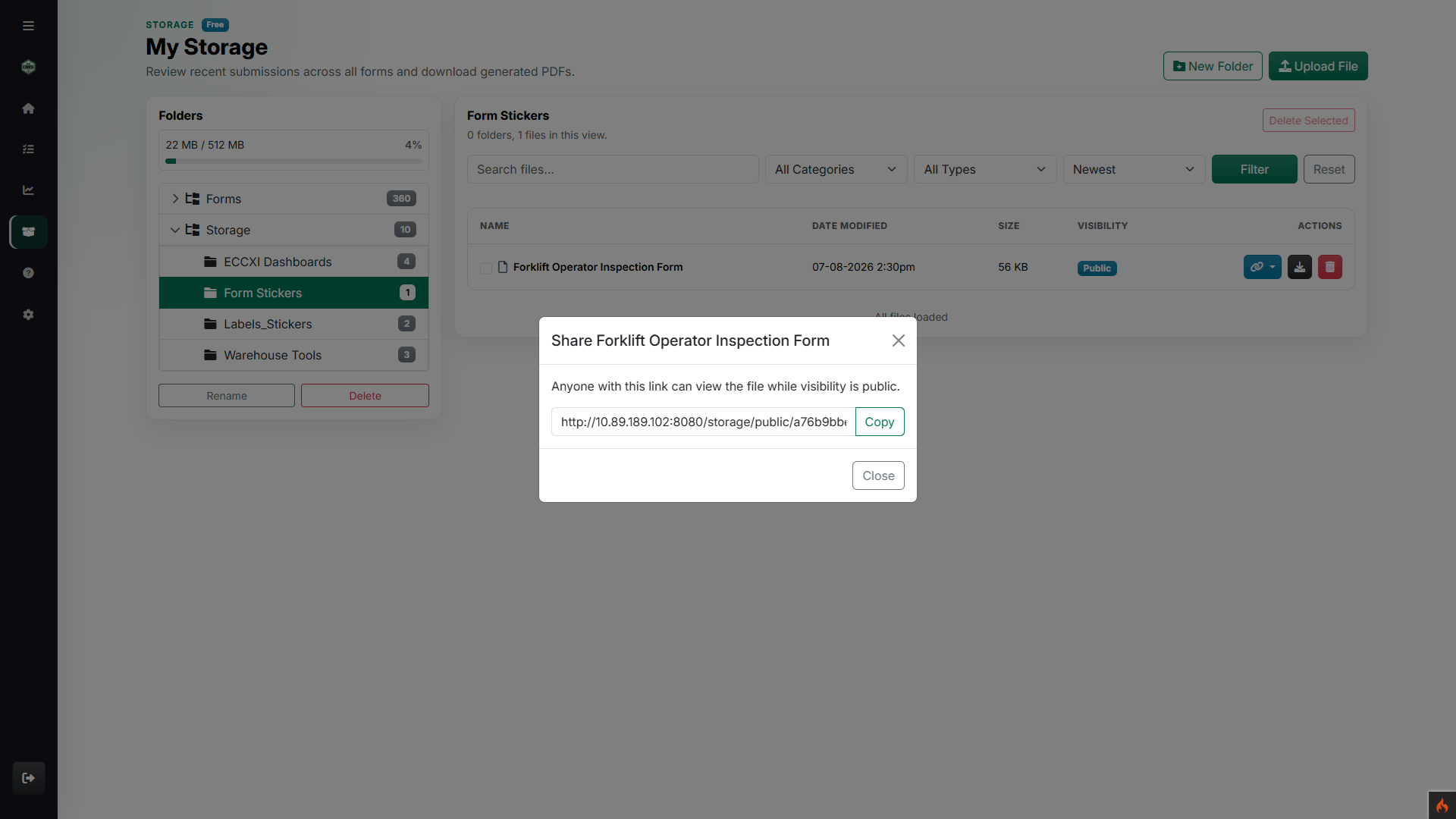
Make a file public, copy the link, and switch it back to private when the outside access window is over.
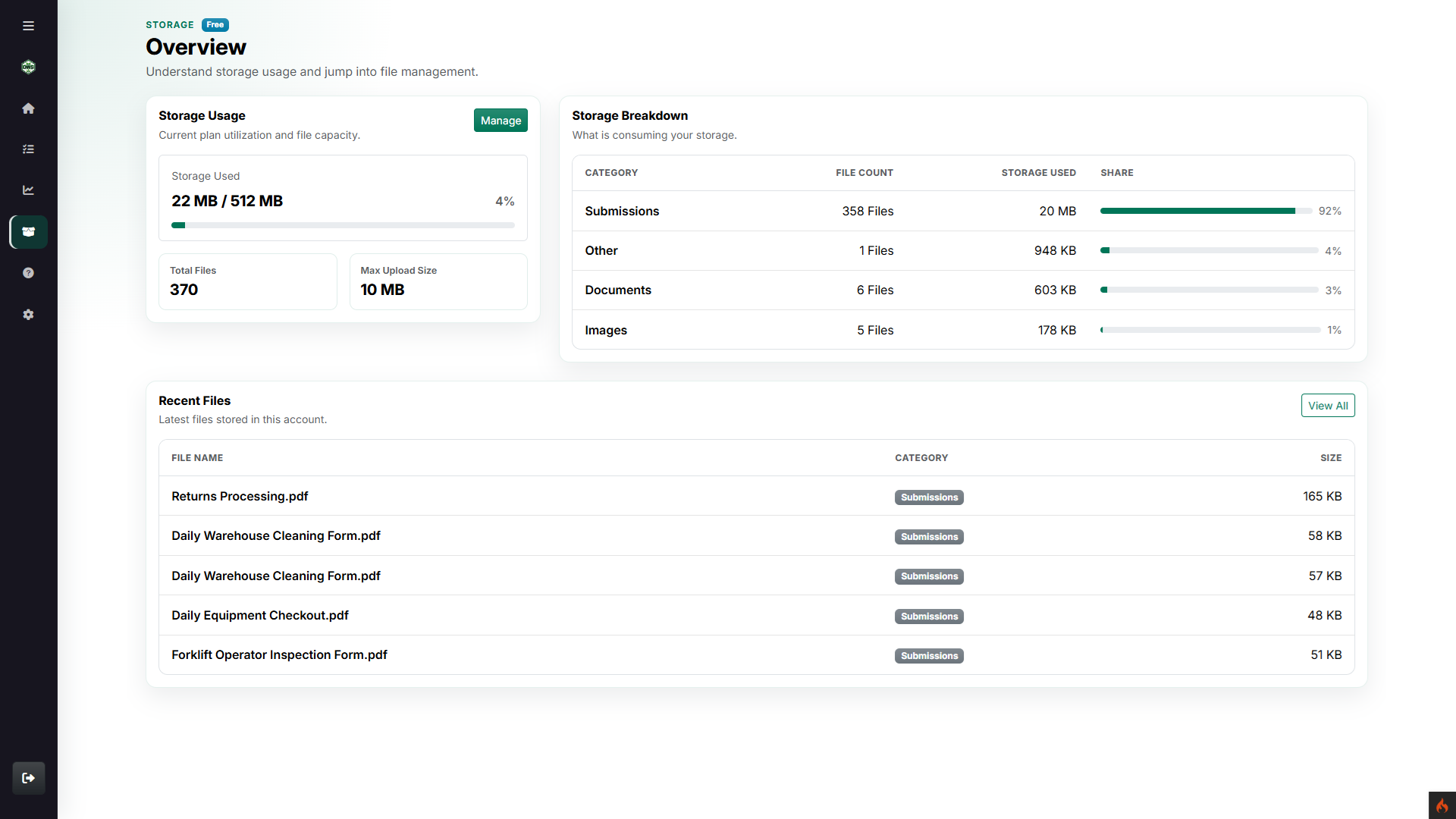
Track usage, file counts, upload limits, category breakdowns, and recent activity before capacity becomes guesswork.
Storage is for the files that tend to scatter: generated PDFs, evidence photos, labels, reports, vendor documents, screenshots, and files shared for a specific job.
Keep the folder tree visible, filter by category or file type, replace files when needed, download records, and share public links intentionally instead of passing attachments around forever.
Use system folders and Storage folders to keep records easy to find.
Upload, replace, open, download, filter, and delete eligible files.
Create public links when outside access is useful, then make files private again.
Teams can organize operational records, inspect what is using capacity, and share only the files that need outside access.
See usage, file counts, category mix, and recent records before storage becomes another place to search blindly.
Copy a direct share link for a public file while keeping everyday records private by default.
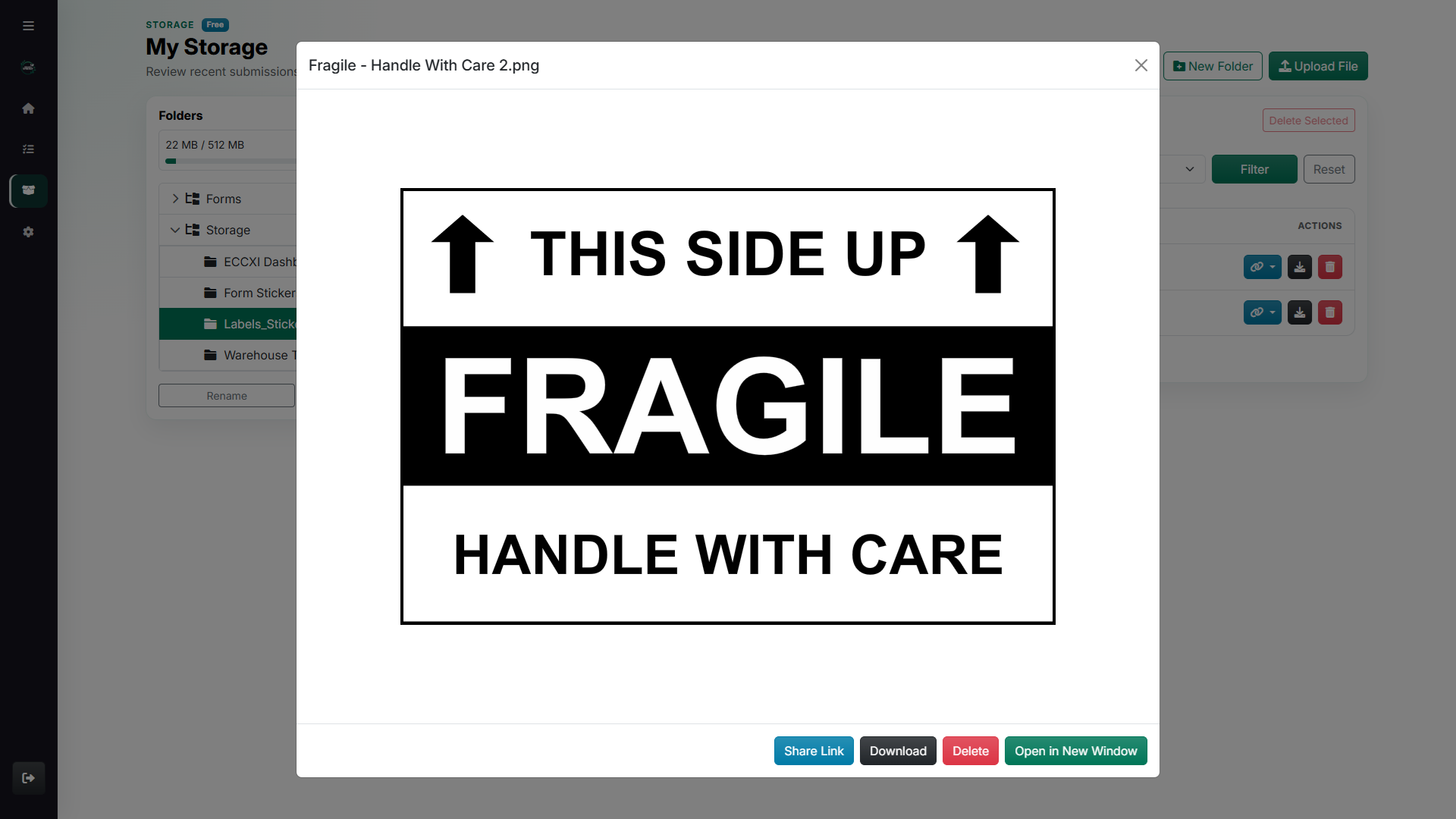
Preview stored images and documents in context with share, download, delete, and open-in-window actions close by.